Showing posts with label software. Show all posts

Thursday, October 3, 2013

Microsoft Office is under serious threat from Google Apps. Already!

Few days back, we were working in a group on complex financial valuations and we were of course using Microsoft Office Excel (what else! right?). People were working on many related calculations but on their own laptops and as a result, we had to do a lot of mailing the sheets back and forth between us, adjusting our own calculations as the calculations of others' changed. The sheets soon became unmanageable for concurrent working.
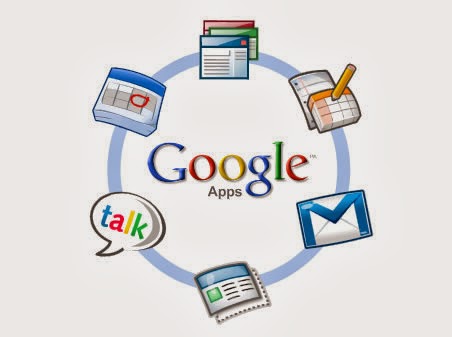
We then decided to use Google Sheets (part of Google Docs, an on line office suite, which is itself a part of Google Apps, a cloud-based productivity suite which includes apps like Gmail, Docs, Calendar, Drive etc) for our calculations, though we had our own doubts on whether it would be able to handle such complex Excel formulas( the formulas in itself were pretty standard, mostly BODMAS and some financial ones but many of them ran into several lines). And surprise, surprise! Not only did the Excel workbook with almost 10 sheets import successfully into Google Sheet, every formula and even color coding was perfect! Once our work in Excel was imported into Google Sheet, collaborating on it was easy; we shared it among ourselves and then worked on it simultaneously.


So why am I generalizing on this one instance? Well, it shows that Google Docs is ready for at least intermediate level of complexity (I have generally been able to create a doc in Google Docs for collaborating and then giving it a finishing touch with Microsoft Office) which when combined with its online collaboration features, makes it a very potent threat to Microsoft Office. Microsoft Office doesn't have a comparable collaboration feature in either Office 2013 or Office 365. Even Gartner seems to be surprised on how well Google is doing, with Google now having 50% market share in cloud-based productivity suite!
All the stats are important, but there is one crucial piece: people are reluctant to switch from Microsoft Office because they are used to it. Microsoft has tried to capitalize on it by offering Office bundled with PC and by offering low cost Student Edition so that people get used to Office. But the students today are on line more than anybody else and they collaborate a lot more (I am a student and I can vouch for that). Because Microsoft Office doesn't have collaboration capabilities, students are using and learning Google Docs. The problem? Future employees / businessmen / educators will be comfortable using Google Docs and will not hesitate to switch only because they don't know how to use any other office suite. And that's going to be the biggest problem for Microsoft!

Friday, September 6, 2013

A small step for Google, a giant leap for web: Google chrome apps for desktop.

Want to see what the future software is going to be like? Right now:
  1. Click the Chrome menu Chrome menu on the browser toolbar.
  2. Select Tools.
  3. Select Create application shortcuts.
  4. In the dialog that appears, choose where you'd like the shortcuts to be placed on your computer.
  5. Click Create and then launch your app from the shortcut
You probably realized that the application shortcut created above, when launched, is nothing but a website running in a browser without the usual UI of browser. It does look like an otherwise normal program but the similarity ends there. Now imagine, if the same app can access your web cam for video chat or your USB devices (e.g your mobile phone)  or your graphics card for playing games! Voila! You have imagined a Google chrome app for desktop!

On September 5, Google released a new feature addition for Google Chrome browser: Chrome apps for desktop. These applications are very similar to websites but can be launched and run just like a normal desktop software (e.g a media player). With web apps now backed by Google, they will become much more useful(can be used even without internet) and ubiquitous(games, image editing, media player are/will soon be available as web apps): you can see for yourself at the official announcement page and of course by installing one of the apps for desktop.

A fairly advanced web app: Lucidchart
Sure, it's nothing new as a concept; apps which look and feel like desktop software but can run on any platform have been around for quite some time. Apps written in Java, Flash and Adobe Air can all do that with varying degrees of success, one major problem being that they first require a plugin to be installed before any of them can be used and none of them had the same look and feel as normal programs.

In a sense, web apps are an extension of the idea behind Java, Adobe Air (platform independent, consistent look and feel etc) with some important difference:

  • Web apps are written in the ubiquitous HTML language
  • Web apps too require a plugin - your browser!
  • A web app will not have the same look and feel as the normal programs on your computer but there is a difference: you have got used to the different look and feel of websites!
The ubiquity of web apps will also have some important consequences for the future of computer industry:
One, since everything from games to a notepad to an office application will run as web app, the operating system will lose its importance. People will care less and less whether their desktop/laptop/phone runs Windows/iOS/Linux or Chrome OS. Operating Systems will of course matter but it will be very easy to switch loyalties between different OSes. This possibly has grave consequences for  OS(for PC) centered companies(read Microsoft) 
  
Two, since web apps will do most of the processing in the cloud(e.g you shoot a bullet in the game on your laptop but the calculations for the trajectory of the bullet will be calculated on Google's servers), devices can be lighter and thinner and last longer.No need to go berserk over 5GHz processor and 16GB RAM!  This possibly will have grave consequences for consumer focused PC processor manufacturers(read Intel) 

Welcome to the future driven by web!

Tuesday, September 3, 2013

Microsoft buys Nokia handset business. What were they thinking ?

On September 3, Microsoft bought the Nokia handset business along with a 10 year non-exclusive license to Nokia's patent portfolio.

So why did Microsoft decided to get into mobile design and manufacturing? :

  • Nokia is the only major handset maker shipping Windows phones, Microsoft was caught in a tight spot
  • Nokia is more than just a Windows phone handset maker, Microsoft has worked closely with Nokia in the past, creating some synergies between the two.
  • Microsoft's own attempts at mobile devices have failed, at present(Surface RT) and in past ( Zune, Kin), though they have mostly been criticized for their lacking software, not hardware!
  • Whatever critics advise, Microsoft  can't just abandon mobile however bad its failures in mobile seem to be. It needs to be get a foothold in mobile and it will do everything for that.

And why did Nokia agree to sell its handset business? :

  • While Nokia is still 2nd largest handset maker behind Samsung, it doesn't figure in top 5 in the lucrative smartphone handset makers.
  • It has come too far with Windows platform to go back to any other platform(read Android)
  • The problem with Nokia Lumia seems to be in software( shortcomings of Windows Phone 8), not the design, hardware or quality . And Nokia cannot possibly fix that.
  • Nokia have had its own problems with Microsoft.

The problem is, sadly, this deal doesn't fix anything that was wrong with Windows 8 phones:

  • A business known for its excellent design capabilities for mobile devices goes to a business known for its failure in making/marketing mobile devices. Sad!
  • The problem with Nokia Lumia phones is the shortcomings of Windows Phone 8. This deal doesn't change anything about that.
  • Nokia Asha(low cost featue phones) and others will probably get the boot. If Lumia fails too, even after all the valiant efforts by Microsoft, Nokia as a handset brand would die. Heart wrenching!

Only time and time alone will tell whether Microsoft is able to revive Nokia and it's own mobile strategy or whether Nokia will meet the same fate as HP's acquisition of Palm.

Wednesday, August 7, 2013

We need iOS and we need Android

This morning I was trying to install Freedom app on my android phone(it lets you do in-app purchase such as game coins for free). It's basically a black market app developed by Russian hackers(and spoofing in-app purchase bypassing Google's payment gateway is definitely against it's T&C) so it's not available on Google app store; the app must be downloaded onto the phone and then installed after allowing "installation of apps from unknown sources". 

And there lies the difference. Even though it's a black market app; it's incredibly easy to install! Just a download and one-click install. Thanks to Google for making it incredibly easy to customize android. iPhone folks probably can't even imagine "easy customization" because they haven't experienced it(it's a simple truth, no offence)! Just look at the plethora of options for android customization: ROMs(123), Themes(1, 2, 3), App Markets and what not. The idea of customization has percolated to even hardware; entirely different OS like Firefox OS and Ubuntu Touch can be easily installed on popular android phone hardware thereby replacing android!

And there also lies the problem. The Freedom app made some changes to the system which made Google accounts(YouTube, Gmail, Play store...) inaccessible (it basically changed DNS file /etc/hosts). Now, as easy as it was to install an unofficial app; it was much more difficult to restore access to Google account, requiring editing of /etc/hosts, a system file(android allows that degree of freedom is also something though). I actually had to do a factory reset!
So while I was all praise for android's openness while installing the Freedom app, I was all curse when things went wrong. I do  have some experience with Linux systems which enabled me to edit the hosts file with some effort, but a person not very inclined towards internal working of computers would find it very very difficult.

That's where iPhone comes in. Things just work in iLand as dictated by Apple. There is much less freedom to interfere with how things work but then there is much less messing around and much less heartburn. While many would root for the freedom of android, many others want things to just work, leaving no scope for breakdown, even knowingly(read iPhone). 
So there will always be a need for both iPhone and android like platforms. The best part is, competition is driving both platforms to learn from each other, giving us, the consumers, the best of both the worlds! :)

Friday, August 2, 2013

Ubuntu Touch: a fully functional desktop Linux made for phone!

Ubuntu Touch, a complete Ubuntu based Operating System(no, it's not an android app or even an android ROM, it's a completely different OS, just like Windows and Ubuntu are two different OS for desktops/laptops) tailored for phones was released sometime in February this year.

Since it's available for my Galaxy S2, I decided to give it a spin. The page for Touch on S2 lists down what works and what not, so I knew Calls and SMS won't work(I know it's a deal breaker but hey, it's a work in progress!). Installation is super easy, just two zip files to flash, and at least I did not face any issues. Since it's a different OS all together, the interface, the navigation, the look & feel... everything is different(I found it to be smooth and intuitive). There are many good reviews out there.

However what's important is that is that Ubuntu Touch is a fully functional Linux OS running on the phone. When I say fully functional, it is fully functional in spirit, ANY software package available for normal version of Ubuntu can be installed.

Hardware info for S2 over ssh

That also means I can do all crazy things with my phone. Above is a screenshot of ssh session showing hardware info of S2! (it's easy, do an apt-get install openssh-server on the phone and use any ssh client to connect to the phone. apt-get is your friend! Next could be a wordpress website with Apache and mySql servers running on the phone!(with phone prices nosediving, I believe it would be cheaper to use them a s server than a complete desktop system in many use cases!)

The commercial success of Touch would depend on how Canonical handles the markets (i hope they succeed!) but Ubuntu Touch definitely opens new vistas and also a way to extract worth-the penny performance from ever increasing cores of phones. What's next? A complete data center with cheap phones running in Hyperscale mode with Ubutu Server edition ! 

Sunday, June 23, 2013

Why a smart phone - dumb phone combo might be a good idea

I love my Samsung Galaxy S2 smart phone(though it has only a 1.2 GHz dual core processor and only 1Gb RAM, sigh!). The old guard can still handle almost everything thrown at it. But I decided that I badly needed a dumb phone too! (I went for Nokia 100, it doesn't support GPRS)


Besides the obvious advantages of a smart phone( I am posting this blog from a train while listening to Fukre songs and also checking fb in between), S2 has a gorgeous 4.3" AMOLED+ screen, a fantastic camera(I sold my digital camera before buying S2 :) , it's light weight and I feel it has the perfect figure for a smartphone,  I can't imagine myself carrying a phablet/tablet/tabphone in my pocket. In the din of all it does, it's easy to forget that it's first a phone and then everything else!


And that's exactly the problem! It does too many things for being just a phone!

So i got a Nokia 100, transferred my primary sim to it and got a 3g sim for S2. After trying out the smart-dumb combo, here's why I think it's a good idea:
  • 24X7 connectivity through fb/whatsapp/email is good but it also becomes a nuisance some times. Now I can just put away the S2 in some corner when I want to get away from the constant notifications :)
  • I can write a blog from train, listen to songs, check fb and take scenic pictures even with only 10% battery remaining because I know that I will still be able to make calls from my Nokia which has 5 days of battery left.
  • When carrying a 28k phone is too risky(when going to sleep during journeys, in the final leg of a party, during heavy rains etc), I can simply leave it at home or drop it in my backpack.
So, what's your opinion?

Wednesday, May 29, 2013

Fuzzy VLOOKUP (string matching) in Excel

Recently, I faced a problem of this measure in Excel:

  • File1 contained a list of names and some data
  • File2 contained a list of names and some data
  • File1 and File2 had many common names but the names didn't match exactly
  • Names in File1 had to be matched with names in File2 and some data retrieved for the name from File2 into File1

The problem was, Excel functions like VLOOKUP match exact strings, the match won't work if strings differ (VLOOKUP has a flag for approximate matching but it's very inadequate and trivial). Microsoft also provides a fuzzy-match plugin for excel but I needed this functionality for my office and office IT guys won't let me install the plugin. You might want to check it out if your IT people aren't that brutal :D

So, I wrote a small macro containing is a fuzzy version of VLOOKUP. It is kind of rough and not very inefficient but does the job. Please go through the comments in the macro.

As an example consider branch_data.xslx as File1 and population.xslx as File2.
branch_data.xlsm is the macro enabled file with the array function FuzzyVLookup applied on columns Population, Matched CIty and Confidence(%) which matches city names from population.xslx . Press Alt+F11 to view the macro.
Keep all files in same folder and the function in branch_data.xslm should work( remember to enable macros when prompted). 

Note: This function returns multiple values and uses array formula. Check the "Method to Return a Variable-Size Result Array" at http://support.microsoft.com/kb/110693 .

The macro uses Levenshtein's Algorithm for fuzzy matching of strings( the algorithm calculates the number of insertions and  deletions in one string to convert it into other string and uses that metrics as a measure of match)

Credits: 
Implementation of Levenshtein in VBA

Here is the code itself( for those who are too lazy to download the branch_data.xlsm file) :
'------------------------------------------------------------------------------------------------------------
Option Explicit

' Levenshtein3 tweaked for UTLIMATE speed and CORRECT results
' Solution based on Longs
' Intermediate arrays holding Asc()make difference
' even Fixed length Arrays have impact on speed (small indeed)
' Levenshtein version 3 will return correct percentage(0...100)

Function FuzzyPercent(ByVal String1 As String, ByVal String2 As String) As Long

Dim I As Long, j As Long, string1_length As Long, string2_length As Long
Dim distance(0 To 60, 0 To 50) As Long, smStr1(1 To 60) As Long, smStr2(1 To 50) As Long
Dim min1 As Long, min2 As Long, min3 As Long, minmin As Long, MaxL As Long

string1_length = Len(String1):  string2_length = Len(String2)

distance(0, 0) = 0
For I = 1 To string1_length:    distance(I, 0) = I: smStr1(I) = Asc(LCase(Mid$(String1, I, 1))): Next
For j = 1 To string2_length:    distance(0, j) = j: smStr2(j) = Asc(LCase(Mid$(String2, j, 1))): Next
For I = 1 To string1_length
    For j = 1 To string2_length
        If smStr1(I) = smStr2(j) Then
            distance(I, j) = distance(I - 1, j - 1)
        Else
            min1 = distance(I - 1, j) + 1
            min2 = distance(I, j - 1) + 1
            min3 = distance(I - 1, j - 1) + 1
            If min2 < min1 Then
                If min2 < min3 Then minmin = min2 Else minmin = min3
            Else
                If min1 < min3 Then minmin = min1 Else minmin = min3
            End If
            distance(I, j) = minmin
        End If
    Next
Next

' Levenshtein3 will properly return a percent match (100%=exact) based on similarities and Lengths etc...
MaxL = string1_length: If string2_length > MaxL Then MaxL = string2_length
FuzzyPercent = 100 - CLng(distance(string1_length, string2_length) * 100 / MaxL)

End Function


Function FuzzyVLookup(ByVal LookupValue As String, _
                      ByVal TableArray As Range, _
                      ByVal ValIndex As Integer, _
                      Optional ValIndex1 As Integer) As Variant
                      
'********************************************************************************
'**This function must be called by selecting three columns then entering the function and pressing ctrl+shift+enter**'
'**this function compares the LookUpValue with the values in 1st column of TableArray range and returns the        **'
'**values from columns valIndex, ValIndex1 from the range and also percentage match                                **'

'**LookupValue: the value for which a match is to be found in a range of values**'
'**TableArray: the range in which the match for LookUpValue is to be found     **'
'**ValIndex: index of a column in TableArray range whose value is to be retrieved on match**'
'**ValIndex1: (optional) additional index of a column in TableArray range  whose value is to be retrieved on match**'


Dim R As Range

Dim strListString As String
Dim strWork As String
Dim I As Integer
Dim lEndRow As Long

Dim Row As Integer
Dim sngCurPercent  As Long
Dim sngMinPercent As Long
Dim arr As Variant
'--------------------------------------------------------------
'--    Validation                                            --
'--------------------------------------------------------------
ReDim arr(1 To 5)
Row = 0
sngMinPercent = 0

lEndRow = TableArray.Rows.Count
If VarType(TableArray.Cells(lEndRow, 1).Value) = vbEmpty Then
    lEndRow = TableArray.Cells(lEndRow, 1).End(xlUp).Row
End If

'---------------
'-- Main loop --
'---------------
For Each R In Range(TableArray.Cells(1, 1), TableArray.Cells(lEndRow, 1))

    strListString = R.Offset(0, 0).Text 'the city name in the range is in column 0
    
    '------------------------------------------------
    '-- Fuzzy match strings & get percentage match --
    '------------------------------------------------
    sngCurPercent = FuzzyPercent(String1:=LookupValue, _
                                 String2:=strListString)
    
    If sngCurPercent >= sngMinPercent Then
        Row = R.Row
        sngMinPercent = sngCurPercent
    End If
    
Next R

'-----------------------------------
'-- Return column entry specified --
'-----------------------------------
arr(1) = TableArray.Cells(Row, ValIndex) 'return the column value for matched row at ValIndex
arr(2) = TableArray.Cells(Row, ValIndex1) 'return the column value for matched row at ValIndex1
arr(3) = sngMinPercent 'return the match % for matched row
FuzzyVLookup = arr


End Function

Saturday, May 1, 2010

Ubuntu's good but not so extraordinary features

Ubuntu 10.04 was released on 29th April and I can't help but write something for linux on this occasion. Lucid Lynx (as Ubuntu 10.04 is fondly called) has got rave reviews for it's better usability and prettier interface.

Rather then trying to be one more reviewer, I am listing some of the great UI ,functional and psychological! features of Ubuntu (any ways Ubuntu is a linux distribution so almost all these features are available in other distros too) which have now become an indispensable part of my computing experience:
  • 'Always on top' option for any window
  • Multiple desktops to clearly separate my work and leisure on two seperate desktops (so I can work on my project on one desktop and chat on another!)
  • Scrolling in window which has mouse over it, not the window having focus
  • Reordering window tabs in taskbar (present in windows  7)
  • Update not limited to only operating system's components, a single updater take care of operating system and all major software installed on the system so each programme doesn't try to update itself (those annoying update processes running in background in windows)
  • Doesn't suffer from progressive laziness(I have been using the same installation for over 1.5 years, Windows users will know what I am saying ;-) )
  • Lack of extra intelligence. That means Ubuntu does what you tell it to do. Unlike some other OSs, it doesn't apply its own intelligence every time you ask it to do something, ultimately doing what you never wanted.
  • Did I mention, no viruses,malware,spyware etc.! (I have seen people running two antiviruses on their PC to the extent that their PC is able to run only the antiviruses and nothing else!)
  • No guilt of pirated software :-)
  • Powerful terminal => geeky gratification (though seems this is the bane of linux)
No, I don't get a commission for promoting Ubuntu and Linux at large, as many of my cynical friends would be tempted to think, but I seriously hope to see the day when people would begin using Linux as a viable alternative to Windows. As said, having choice never hurts.

Tuesday, January 26, 2010

Great applications for Nokia 5230 & 5800

I recently bought Nokia 5230 and since then I have been trying to get applications (mostly free since I don't have a credit card :(  ) for my phone. Before I give my list of recommended applications, please note that many applications require a data connection (or mobile internet) so, you would be better of with an unlimited data plan. Anyways, you require a fast and cheap internet connection to bask in the glory of a 3.2" touchscreen ( See full review of Nokia 5230 ). Please contact your carrier for data plans.

Nokia 5800 and 5230 sport Symbian OS, version 9.4, Series 60 release 5. So if you find other phones having the same OS, you can be sure that these applications will be compatible with them.

Here goes the list of applications:


Who can forget the venerable Opera mini? Opera mini is for phones with Java but having Symbian as your OS has its own rewards like the Opera Mobile . Opera Mobile has everything (almost) that you can think of  in a mainstream browser like tabbed browsing, download manager, password manager, auto-completion and so on. Though I should mention that the default browser provided with the OS is real good and Nokia has done a good job with the browser.


Once browsing is taken care of, all one needs is a an IM client and believe me Nimbuzz rocks. It's the Pidgin for Symbian. Once you install Nimbuzz, you have to create an account in Nimbuzz and then you can sign into any of your accounts ( GTalk,Yahoo!, MSN, AIM, ICQ,facebook are included). The interface is very much like a regular desktop IM client. As far as Gtalk goes, you can make voice calls. VoIP is also supported through Skype, NimbuzzOut and so on.


Quickoffice is damn good at delivering what it promises. However you have to pay for it. The demo application works for 30 days. It also supports office 2007 formats and really well.

Quickoffice also sells Adobe Reader for Symbian. While Quickoffice is unopposed, you can also use pdf+ for viewing pdf files, but it's also a paid application.


Y-Browser is a file manager for Symbian s60 OS. Not to say that the inbuilt file browser is lacking in anyway but its always better to have choice.The site also has some other nifty applications, take time to try them out.( No, I couldn't try them out because I am busy writing this blog for you!)

We have all been through moments when we copied a file to phone and disconnected it from PC, only to discover that the file is actually an archive which has to be unzipped first. WinRAR for mobile will save you from the ordeal of going back to your PC ( apparently, WinRAR also comes for Java phones, so you can get it on Java enabled phones too!! )


I had mentioned that the default dictionary with Symbian series 60 v5 leaves out too many words. MDictionary is a worthy replacement, I have never come across a word not in the dictionary. You will have to install both the basic program and the database(you can install any number of databases). Unidirectional database provides English-to-English dictionary. The bidirectional databases provide well, bilingual dictionary, of great use if you are on a tour.


Everyone has heard about Google Maps. It's a free service+application from Google where you can find routes, get turn-by-turn voice direction and view traffic ( of course only if Google has mapped your area). Though now Ovi maps is also a free application, Google has a much better coverage. So next time you go to a metro, make full use of the GPS in your phone and don't get fooled by taxi drivers.


This one is just for fun. Don't hope for photoshop on a phone yet (remeber your Symbain phone is a phone after all !). You will get three brush sizes, limited colors and few shapes but it's lot of fun. After all an artist needs nothing more than a brush to paint his imagination. You can save your paintings as jpg image. Just this evening my friend drew a wonderful portrait (not exactly :)  using Mobile Paint .


SymTorrent , no rewards for guessing, is a torrent client. And yes, it's for Symbian!! So, if you have an unlimited data connection, why not give your service provider sleepless nights? SymTorrent can make simultaneous downloads and lets you view the progress of each download.

Thursday, January 21, 2010

Windows XP doesn't recognize hard disk after installing Linux ?


Today, a friend asked me to help with his laptop. He had installed Ubuntu (actually due to my persuation). But, yesterday XP crashed(as it does after every few months) and when he tried to reinstall XP, the XP disc simply refused to recognize his hard disk. Actually, a few other friends of mine have also had this problem and they curse Linux for it!!
The problem occurs because the hard disk in such laptops/desktops is set to use AHCI sata mode. AHCI is the acronym for the Advanced Host Controller Interface. It is a new interface specification that enables advanced SATA features like Native Command Queuing (NCQ) [gives some performance boost] and hot-plugging [enables you to attach a hard dik without rebooting the system ]. Also, according to Wikipedia: AHCI is fully supported out of the box for Windows Vista and Linux operating systems from kernel 2.6.19, and later operating systems such as Windows 7. Note, Windows XP is MISSING from the list.
So , the problem lies with XP, not with Linux! There  are a couple of solutions:
1) Use the OEM XP install CD, meaning, the XP CD which came with your laptop. The OEM CD contains required drivers for AHCI mode on that particular computer.
2)Just goto the BIOS settings and disable AHCI mode (change it to simpler and older IDE mode) and the use a vanilla XP CD (the one commonly available). The caveat is that you lose a little performance.
3)If you can, use a new Winows OS (Vista or 7 ). Or simply stay with Linux!

Ubuntu 9.10 (Karmic Koala) : Why I love it

I recently moved from wordpress to blogger, so thought it would be better to have all my posts at one place.

The Internet is abuzz with everybody vouching for Ubuntu 9.10 as the best Ubuntu edition till now. I have been using Ubuntu for good 2.5 years from the days when getting wi-fi to work was a pain in the … neck, to the days when the wi-fi on almost any computer Just Works. I had updated to and happily using 8.10 since it release and I saw no reason why I should have had updated to 9.04, though I seriously envied the improved fonts in 9.04
But the buzz around 9.10 made sure that I couldn’t resist the temptation of updating this time. And what an experience has it been! Ubuntu is now much better looking, days of the “Orange OS” are gone and there is a set of good wallpapers too. And the beauty of Karmic is not only skin deep. There are some fundamental architectural changes too, like the new ext4 filesystem is the default, grub2 is the boot loader and HALD (the daemon responsible for discovering devices like  pen drive,camera etc and notify the applications) is being phased out in favour of the better cousin DeviceKit.
Yes, Ubuntu will still not play the MP3s and avi, wmv files on first boot but you are only ” sudo apt-get install ubuntu-restricted-extras ” away from such files. And yes, the Ubuntu Software Center is now much sleeker with several GUI improvements. Several of my friends have reported that installing software through Software Center can well become an addiction! Empathy, the default IM Client in Ubuntu brings voice and video chat to gtalk users, the absence of which had kept several people from adopting Ubuntu full time. The Network Manager is just awesome, wired and wireless internet has always been easy under Ubuntu but now forget all the dirty work one had to do to surf the net through USB modems or GPRS/3G phones, you just need to know the username and password, Network Manager will do the rest. And yes, did I forget to mention that Karmic boots with a fantastic artwork in 10 seconds flat!
I can praise Ubuntu only as far as my words can go but you will have to really use it to believe me. And no, I am not saying all this because I am a Linux fanatic, Windows 7 is an awesome OS too but don’t we all like choice ? And yes, on a parting note, if you have a 64 bit processor, do give a try to 64 bit Ubuntu 9.10 , you will savour the satisfaction of giving your 64 bit processor, a matching 64 bit OS as mate!!